Once you've been running inspections and jobs, you've built up real data. Civic.ly uses one list view for everything. Assets, inspections, jobs and defects all work the same way, so once you can find and filter one, you can report on them all. This article covers finding what you need, choosing what to show, and getting the data out.
Find what you need
- Quick search: type anything into the search box: a location tag like "Memorial Park", an asset type, or a name. It matches across the list.
- Quick filters: one-tap views such as all buildings, all vehicles or parks. They're shortcuts to the advanced filter.
- Advanced filter: for precision, filter on any field: location tag (contains exact words), condition, area size, insurance value, dates, or (on inspections, jobs and defects) who the work is assigned to.
The search, quick filters and advanced filter work the same way on every list, so the habit carries across assets, inspections, jobs and defects.
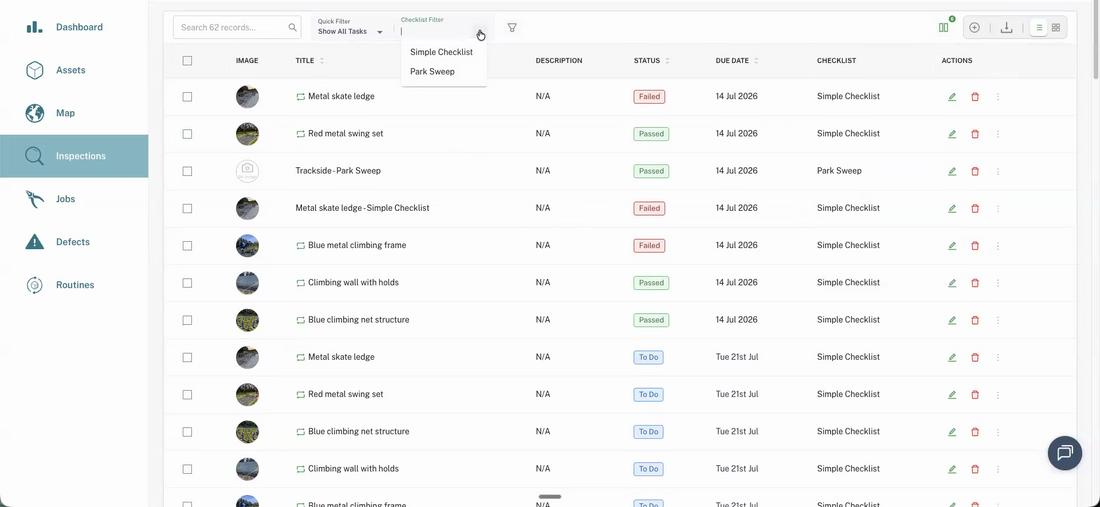
See completed work
Lists hide completed tasks by default, so day-to-day you only see what's coming up or overdue. To report on what's been done, switch the quick filter to Show All Tasks. Completed inspections and jobs then appear alongside the rest.
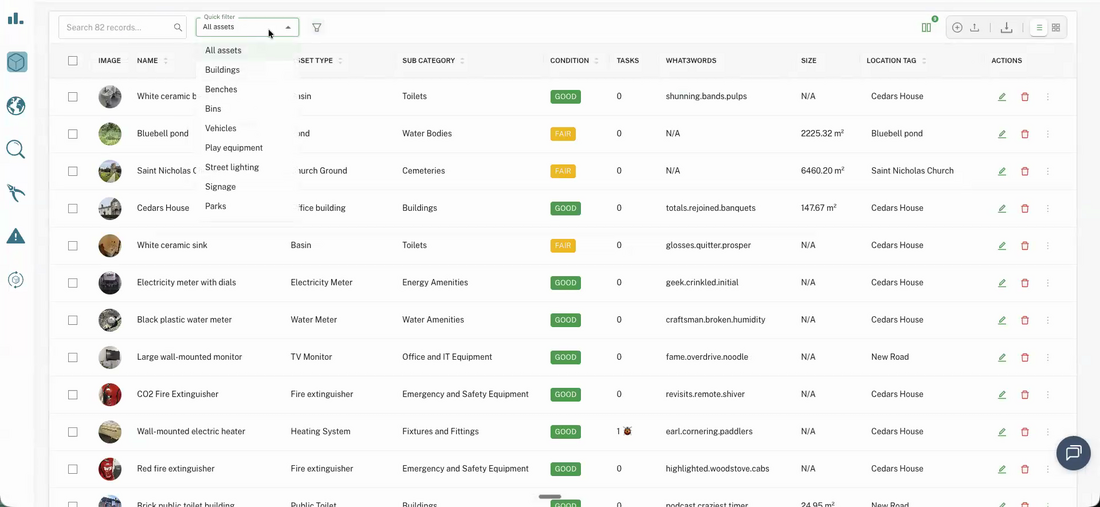
Report on results
- Choose your columns: add, reorder or hide fields on any list so it shows exactly what you need.
- Checklist results: on the Inspections list, pick a checklist with the checklist filter and you'll see the results laid out green / amber / red across every item. That's a report in itself.
Get the data out
- Export to CSV: filter a list (for example, inspections completed between two dates) and download it. The grid view also prints. Note the CSV carries the record, not the photos.
- Share a view: the page URL updates with your filter, so you can copy the link and send a colleague exactly the view you're looking at.
- Bookmark a view for each person: on the Inspections or Jobs list, filter by Assignees, sort by due date, and save the page as an ordinary browser bookmark. Make one for each member of your team and checking what someone has outstanding becomes a single click. The bookmark always shows the current state, not a snapshot.
Keep your record
Some records must be kept for years. Playground inspections, for example, carry a 21-year retention expectation. Don't rely on any single platform lasting decades: export to CSV once a year and archive it alongside your other records. The routine passes are just the background noise; the defects and the history are what build your compliance and capital-spend case over time.
Common Questions
Lists hide completed tasks by default so you can focus on what's outstanding. Switch the quick filter to Show All Tasks to include everything that's been done.
No. The CSV export carries the data record (what was checked, when, by whom, the result), not the images. For an archived copy of a report, export the CSV; keep the photos in Civic.ly.