Short answer
A defect can land in Civic.ly in two ways: from a failed inspection (an operative pass/fails a scheduled check) or as an ad-hoc report (anyone in the team spots an issue and snaps a photo on the mobile app). In both cases, the defect is a stand-alone record of "this asset has a problem", and from it you create one or more jobs to fix it. When all the fixing jobs are completed, the defect can be marked resolved. Crucially, the defect is not the work item — it's the issue. The jobs are the work. Keeping them separate gives you a clean audit trail and accurate effort tracking.
Detail
There are two entry points — both produce the same defect record once raised.
Entry point 1 — failed inspection
The chain in full:
- Inspection runs as scheduled. The operative opens the task, fills the form template, and either passes or fails the inspection.
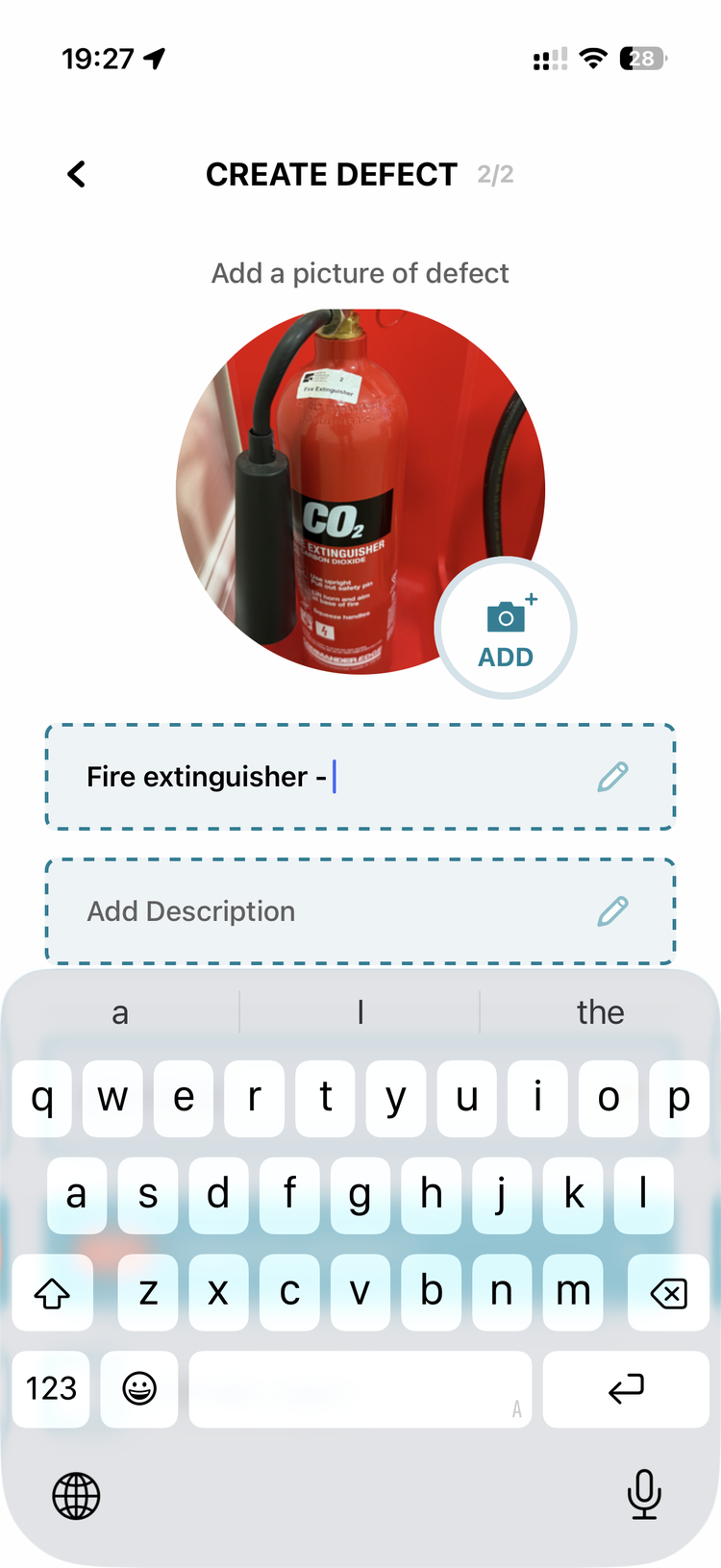
- A failure offers a defect — it isn't automatic. When the check fails, the app gives the operative the option to raise a defect and pre-fills it (title = asset + fault reason); the operative chooses to create it and can add a photo and a short description (e.g. "the nozzle is broken", "surface cracked at the base"). Polygon / point markers can be drawn on the photo to highlight the issue. Declining is fine — the Failed inspection and its answers are saved on the asset regardless, and that record is itself a report (see If I mark an inspection item as a fault, does Civic.ly raise a defect automatically?).
- The defect is logged against the asset. It appears in the asset's history alongside the inspection that surfaced it.
- One or more jobs are created from the defect. Each job is a unit of work — order replacement nozzle, book contractor visit, replace and test. Jobs get assigned, scheduled, and tracked like any other task.
- Jobs complete over time. The defect stays open until enough work has happened to call it resolved.
- The defect is closed. The audit trail then reads: inspection passed → failed → defect raised → jobs N1, N2, N3 → defect resolved — visible on the asset's record.
Entry point 2 — ad-hoc defect reporting (replacing WhatsApp)
For many councils, the first adoption hook is not failed inspections but ad-hoc reporting. A grounds operative spots fly tipping, a damaged bench, graffiti, a fallen branch — and the current process is to send a WhatsApp photo to the supervisor, who then has to type up where it is and what it is. Civic.ly replaces this end-to-end:
- Operative opens the mobile app and reports the defect. They can attach it to an existing asset (this bin is full / damaged) or log it as a general issue (fly tipping at this location).
- Photo + GPS captured automatically. No need to describe the location in words — the supervisor can tap the report and get directions straight to it.
- Supervisor reviews and creates jobs. Same flow as the failed-inspection path from step 4 onwards.
This is usually the quickest way to get WhatsApp out of the defect-reporting loop, and it is a good first thing to try: the team is already taking photos on their phones, it needs no asset register or routines in place first, and it gives whoever triages the work one queue to look at instead of a busy group chat.
Why keep the defect separate from the jobs:
- One defect can require multiple jobs. Sometimes a defect is fixed by a single quick job (replace bolt). Sometimes it's a saga (order parts → schedule contractor → install → re-test → close). If you treat the defect as the work item, you can't track those steps; if you treat the first job as the defect, the audit history goes wrong.
- Different people own different stages. The operative reports the defect; the supervisor scopes the fix; the contractor does the work; the supervisor verifies. Distinct records make ownership clear.
- Effort tracking is accurate. Each job has its own time, materials, cost. Lumping it all into a single defect record blurs that.
- Reporting is cleaner. "How many defects did we surface this quarter?" and "How many jobs did we complete this quarter?" are different questions; you want to be able to answer both.
How to create a job from a defect (the + button)
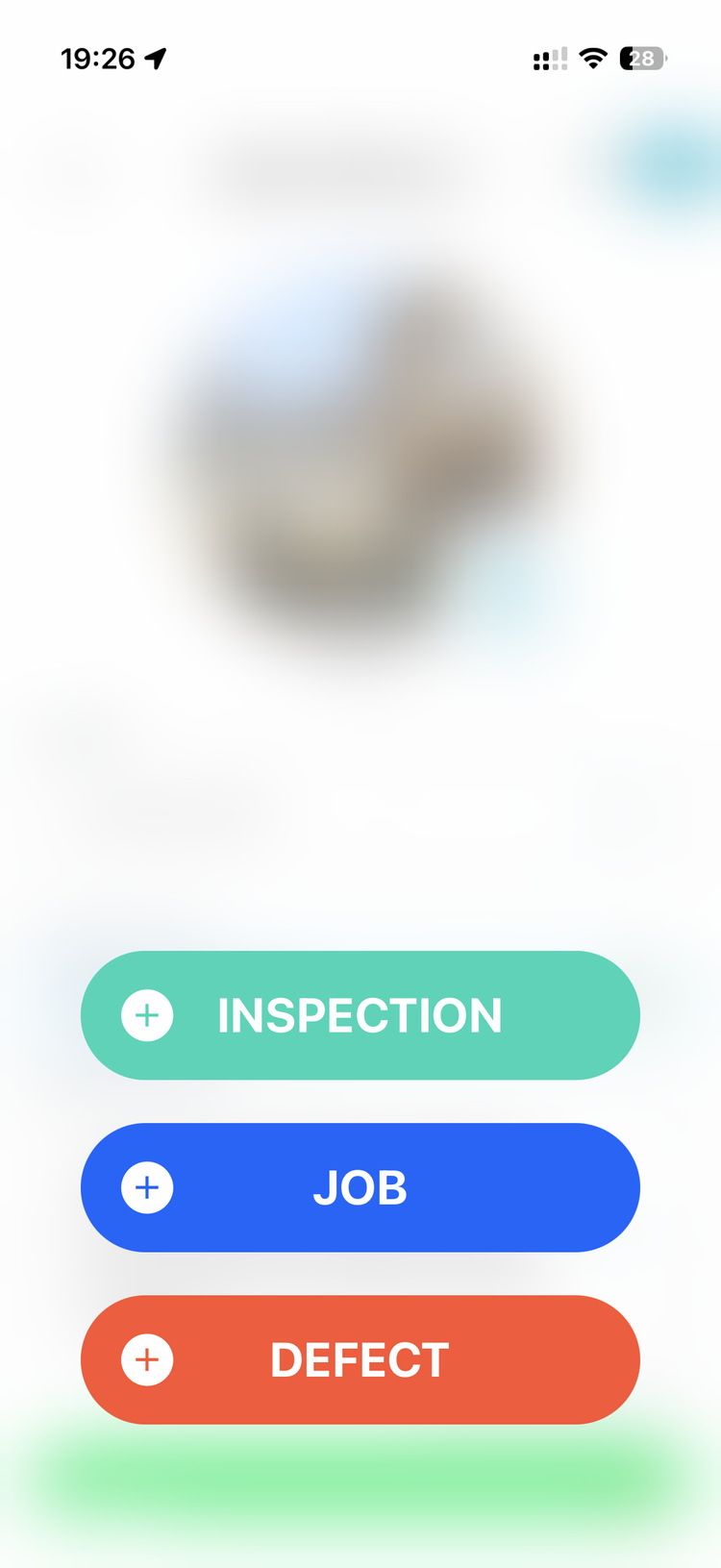
Once a defect is open, you create the fixing job directly from it using the + button in the top right corner of the defect record. This works on both the mobile app and the web app.
Mobile: 1. Open the defect. 2. Tap the + button (top right corner). 3. Select Job from the menu. 4. Fill in the job title, assign it, and set a due date. 5. The job is saved and automatically linked to the defect — you'll see it in the Related Records section of the defect, and the defect will appear in the related records of the job.
Web app: The same + button appears in the top right corner of the defect's task page. Tap or click it, select Job, and the same automatic link is created.
You can create as many jobs as needed from one defect — each one appears as a related record. This is how the platform keeps defect and fixing work connected without conflating them.
Watch-out: the + button on a defect (or any task) also lets you create Inspections and Defects. Make sure you pick Job when raising a remediation task.
Watch-outs
- Don't use the defect as the work item. It is the easiest habit to fall into, especially coming from a paper or WhatsApp system where the report was the to-do. In Civic.ly a defect is the issue and a job is the work: raise the defect to record what is wrong, then create the job that fixes it.
- Failed inspections with no defects behind them are worth a look. If checks are being failed but nothing is being raised, it is usually one of two things: the checklist is set up so a fail doesn't prompt a defect, or whoever is doing the checks hasn't been shown that step. Both are quick to put right, and it is worth catching early, because a fail with no defect leaves no record of what was actually wrong.
- A defect with no job against it is a stalled issue. Filter your defects list for open defects and check each one has a fixing job. It is the quickest health check on the whole workflow, and the one that catches problems quietly sitting unresolved.
- Don't close the defect just because one job completed. Close it when the underlying issue is actually resolved.
- One failed checklist question can spawn several defects. If a single check fails for several reasons (e.g. three different plots on an allotment site have trip hazards), raise a separate defect for each — go back into the response and add another. One defect per real-world issue keeps the history and the fixing jobs clean.
- A fault on something that isn't yours to fix (contractor / third-party-owned asset)? Still log it as a defect — to keep the record. If an inspection turns up a problem on an asset a third party maintains (e.g. a bin owned/emptied by a waste contractor), don't create a job to fix it yourselves — you're not doing the work. Instead raise a defect so there's a trail that you spotted and reported it: give it a clear title (rename from the generic default, e.g. "Litter bin — no lid"), set the category (e.g. Functionality), and put in the notes who it was reported to and when ("reported to Remus, 1 Jul"). That way the issue is tracked and evidenced even though the fixing work sits outside the council.
- The same trick works for assets owned by the principal authority (borough / district / county council) — log them to build leverage. Plenty of parish/town councils look after equipment that legally belongs to the tier above them (a play area the borough owns, a car park the county maintains). Add those assets anyway, photograph them, and raise defects when you spot problems — you're building a dated, evidenced record. Over a few months that becomes a report you can put in front of the owning authority ("here's everything we've flagged and you haven't actioned") to press them to fix things. Same pattern as logging the residential fly-tipping or bin overflows you clear that aren't strictly your job — the data is the argument.
- Name a third-party defect so the whole set stays reportable: the fault in the title, the owner's acronym in brackets. Logging faults on someone else's asset only pays off if you can pull them all out again later, and that depends on the title. Two habits do it. First, lead with the fault, not the asset. The title pre-fills with the asset name, so a defect left as "Miscellaneous land" or "Litter bin" tells you nothing in a list of eighty; the narrative belongs in the description and the title should say what is wrong. if the owning authority were Marchford District Council, "Wall collapsed into river (MDC)" beats "Miscellaneous land" with the story underneath it, and "Bin overflowing, currently unusable (MDC)" beats "Litter bin". Second, put the owning authority's acronym in brackets, and use the same one every time. A consistent tag is what lets you search or filter the defects list down to everything you have reported to that authority and produce it as a single report. An inconsistent one (the acronym one week, the full name the next, "the county" the week after) quietly breaks the set, and you only find out when you need the report. Keep the notes for who it was reported to and when; the bracketed tag is what makes the list filterable.
- The defects list doubles as the shared record of what the public has already reported. Where several people take reports from residents, the same overflowing bin or fly-tipping gets reported three times and nobody knows whether it has been dealt with. Logging each one as a defect gives the office one place to check before anyone acts, which stops duplicated chasing and gives a fair picture of the volume of work coming in that is not on any schedule. This works whether or not the asset is yours, and it is often the quickest visible win from the defects list.
- No individual item on the register? Raise the defect against the site/area asset and name it well. If you inspect at site level (a whole allotment site, a park) and haven't itemised every plot/bench, raise the defect against the site asset and put the specific location in the defect title — e.g. "Plot 3B – trip hazard" — so it's findable. The defect's photo sets its location to where you took it, so on a large site it still pins to the right spot. You can add the individual items as assets later and raise defects directly against them.
- Already fixed the problem before you got round to logging it? You can still raise the defect after the fact. A common real-world order of events: the field team spots and fixes something small (a broken swing seat, a loose bolt) before anyone's logged it in Civic.ly. That's fine — go back to the failed inspection that flagged it, create the defect from there as normal, and note what was done in the description. You lose nothing: the audit trail still reads inspection → defect → (informally) fixed, and the defect can be marked resolved straight away. Don't skip logging it just because the fix already happened — the record is the point.