Short answer
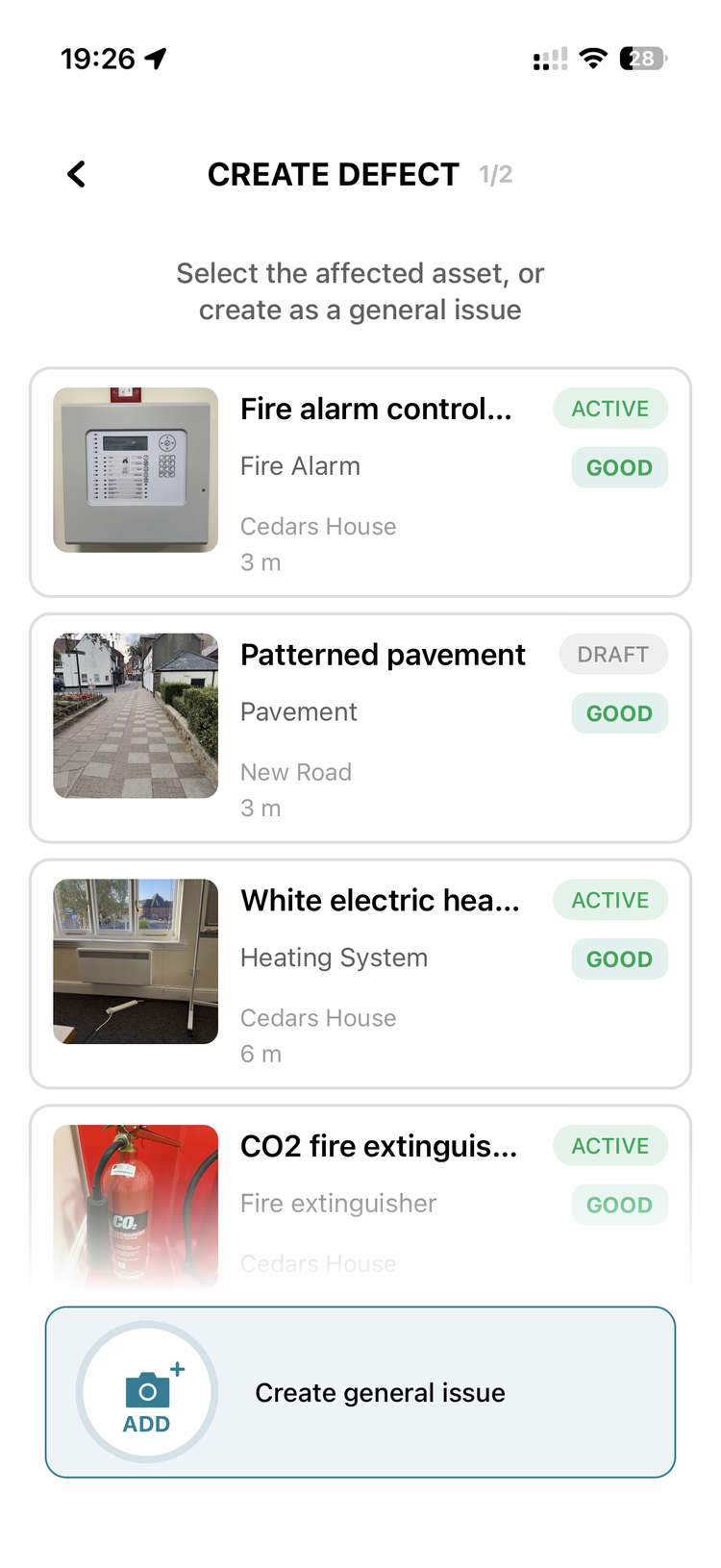
You don't have to attach every job to an asset. Both the mobile app and the web app let you create a task as a "general issue" — you (or the operative) photograph what you found, log that it's dealt with, and save, with no asset link required. That's ideal for high-volume reactive work like ad-hoc litter-picking or fly-tipping. Where the work matters for reporting, the alternative is to model the location as an asset or area and assign jobs to it — that builds a structured, reportable record.
Detail
There are two ways to handle work that doesn't have an obvious single asset, and the right one depends on whether you need a structured record.
1. Structured (use where the record matters). Model the place as an asset or area and assign jobs to it:
- Draw the car park as an area (add it as an asset, then convert it to an area in the app — open the asset record and change it at the bottom), or draw a street as a line (see How do I represent a whole street (for litter-picking) without walking it end-to-end?).
- Assign each piece of work as a job against that asset/area. The asset's Related Tasks then shows everything done there over time.
- This is especially useful when the land isn't yours — e.g. car parks owned by the principal (county/unitary) authority that you maintain anyway. You build defensible evidence of the work you've done, which is exactly what you need when you report it back to them.
2. Quick / unlinked (use for high-volume reactive work). When you create a job (mobile or web) you can either select the asset it relates to or choose General issue:
- For ad-hoc litter or rubbish, select General issue, take a photo, and log that it's done — no asset to pick.
- Use the same wording every time (e.g. always "litter" or "rubbish"). That consistency is what lets you later download the jobs, filter them by that term, and total up everything done — handy data to put in front of members, and it surfaces work you're doing that technically isn't your responsibility.
Defect vs job: only raise a defect if something is actually broken (a damaged bin, a pothole). Routine clearance work — litter, weeds, rubbish you simply deal with — is a job, not a defect.
Watch-outs
- Unlinked jobs won't appear under any asset's Related Tasks. That's the trade-off: General issue is faster, but you lose the per-asset history. If you want the work to show against a place, model the place (option 1).
- Consistency is everything for reporting. Free-text descriptions only become useful data if the same term is used each time — agree the wording with the team up front.
- A drawn line or area can still batch into a routine for the regular element (e.g. scheduled litter-picking rounds), with General-issue jobs covering the genuinely ad-hoc bits on top.
Related
- How do I represent a whole street (for litter-picking) without walking it end-to-end?
- How do I turn a photo of a building (like a depot or toilet block) into a mapped area?
- How does the defect workflow work — from a failed inspection to resolution?
- What's the recommended way for an operative to use the mobile app each day?