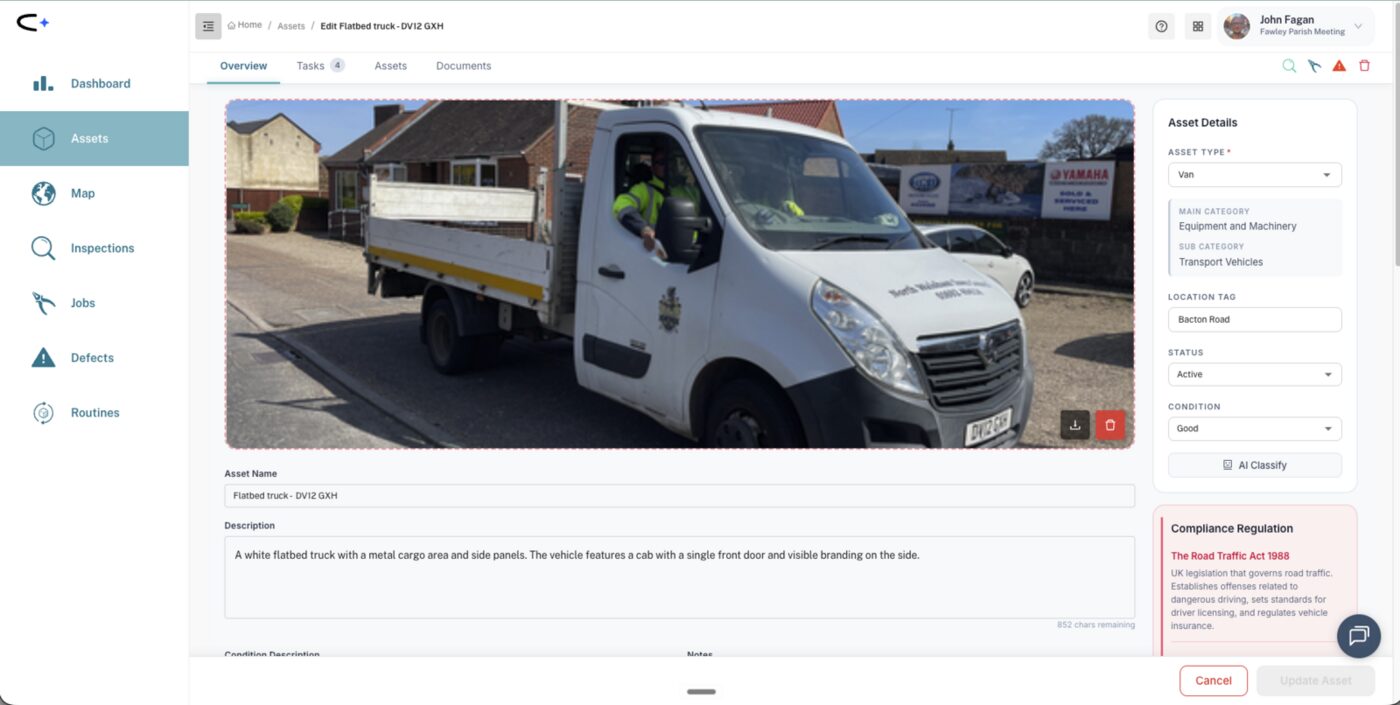
photograph each vehicle and machine as an asset, and put the registration plate (or a unique kit ID like "Chainsaw 11.26") in the asset's name. The name flows into every inspection task title, so the driver always knows exactly which van they are signing off.
Pre-use vehicle checks are the classic first win in Civic.ly: a fleet can be photographed in an hour and daily checks can be live the same day. They are also the checks your insurer cares most about. If a vehicle is in an incident, "show us your pre-use check records" is the first question. The decision is not whether to check; it is how much detail to capture on each visit. This guide applies the options in Choosing How to Inspect to vehicles and machinery, with the real checklists for each.
Pass or fail only
A daily routine over the fleet, with no checklist attached. The driver marks each vehicle's check passed before taking it out.
Pros: near-zero friction; proves a named person confirmed the vehicle on that date.
Cons: no item-level evidence. It records that a check happened, not what was checked, and a fail records only "failed".
A checklist every time: the Check or the Sweep
Every vehicle type has two checklists, and the driver answers every question on every visit.
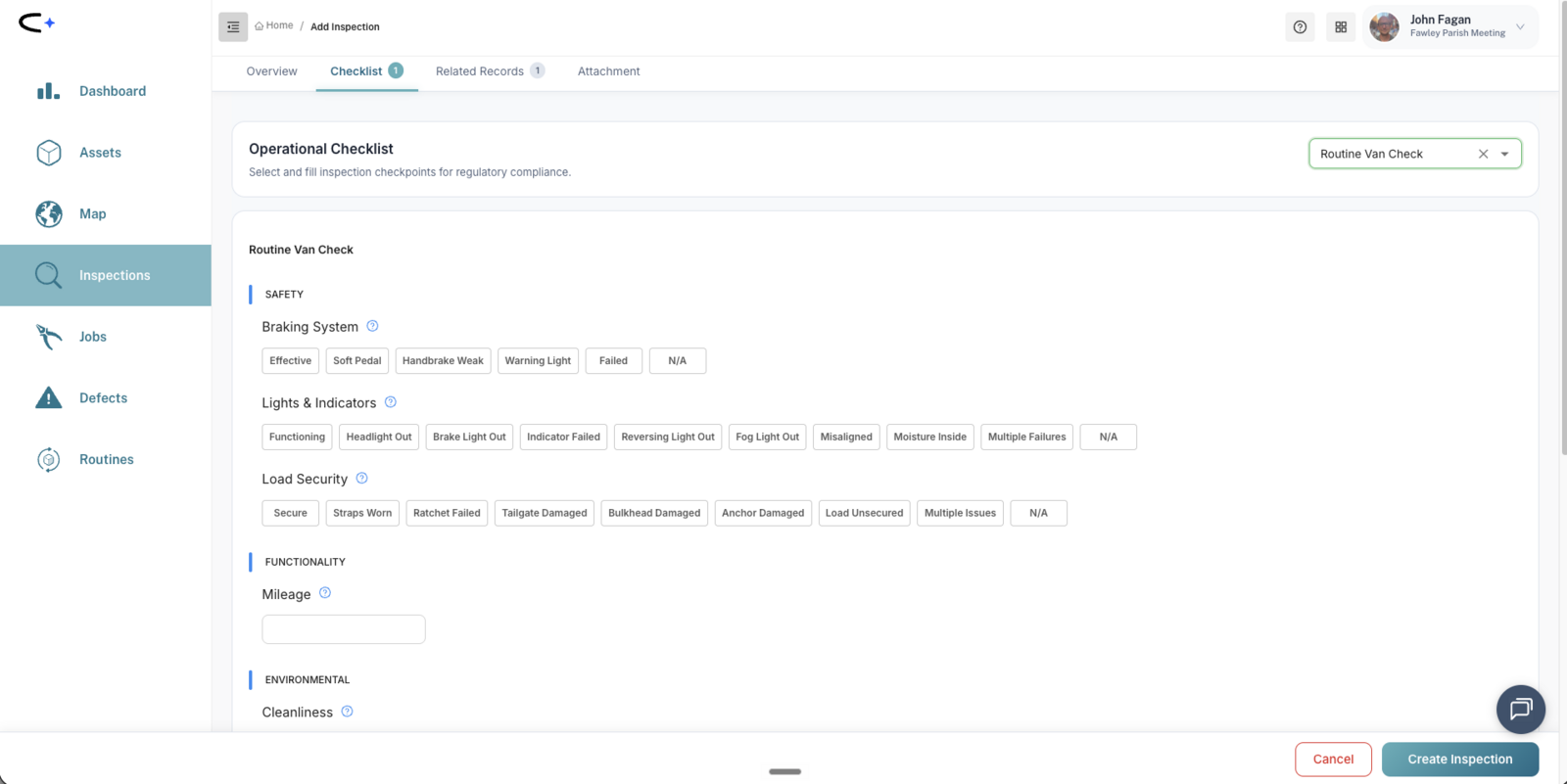
The Check is quick and graded. The Van Check asks ten grouped questions covering the walk-round:
Van Check: Lights & indicators · Braking system · Tyres & wheels · Fluid levels · Fluid leaks · Glass & mirrors · Load security · Cleanliness · Mileage · Overall condition.
Each group takes one answer, and the options name the fault ("Headlight Out", "Indicator Failed"). If two lights are out at once you are into the "Multiple Failures" catch-all, and nothing forces the walk to the back of the van.
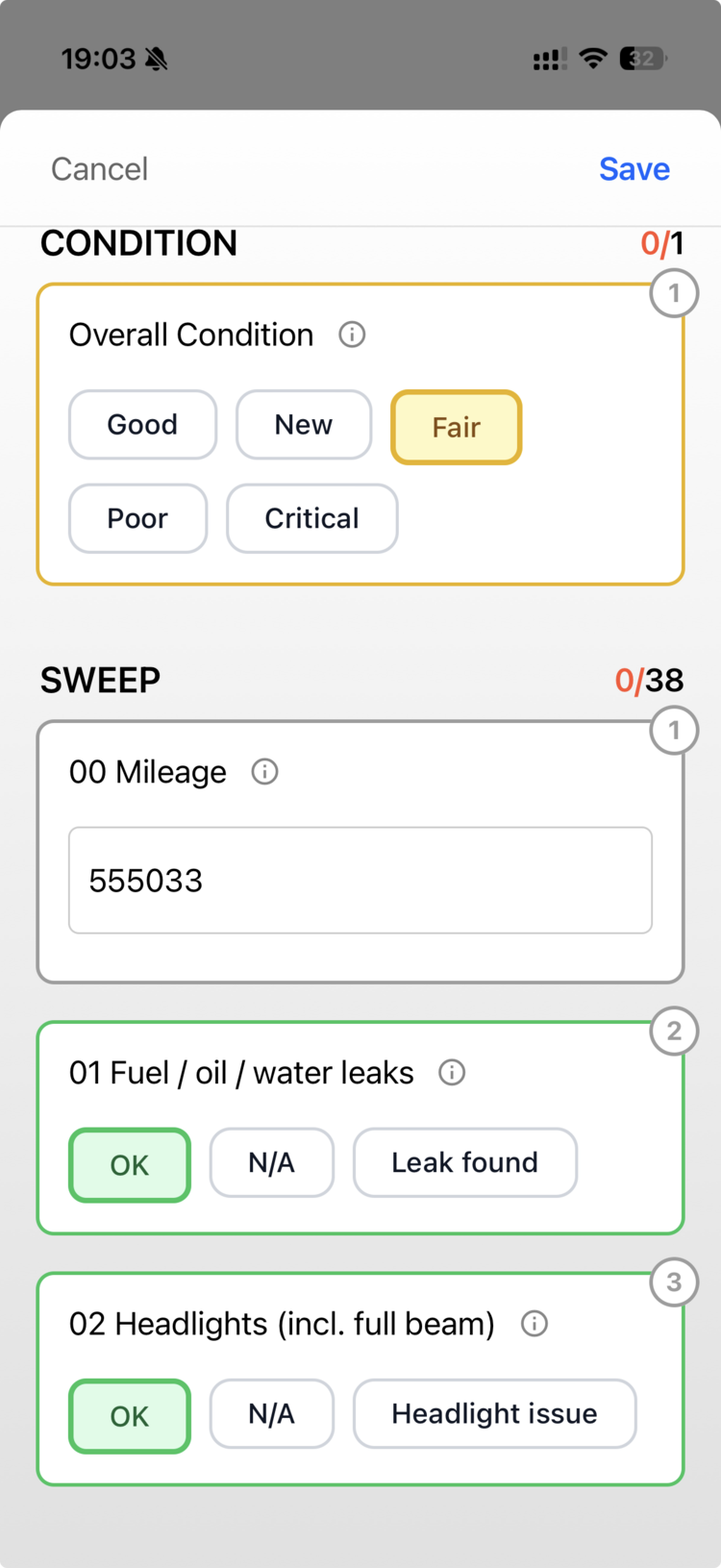
The Sweep is thorough and itemised. The Van Sweep takes a mileage reading, then 37 questions in walk-round order, each answered OK / N/A / a named fault, with an overall condition rating on top:
Van Sweep (excerpt): 01 Fuel/oil/water leaks · 02 Headlights (incl. full beam) · 03 Rear lights · 04 Side lights · 05 Indicator lights · 06 Hazard lights … 15 Tyre condition (incl. spare) · 17 Wheel nuts · 20 Brake fluid · 24 Engine oil level · 27 Seatbelts & locking · 33 Brakes (service & handbrake) · 34 Dashboard warning lights · 35 First aid kit · 36 Fire extinguisher · 37 Warning triangle.
The same pair exists for every vehicle type: Tractor Check and Sweep, Ride-On Mower, Truck, Street Sweeper, Recycling Truck, Emergency Vehicle and more. The Annual Road-Legal Check (MOT, tax, insurance) sits alongside them and leads with its cadence in the name.
The Sweep exists because of a problem every fleet manager recognises: "they just tick, tick, tick and don't bother doing their checks. At least this way they have to do their checks." It takes a couple of minutes per vehicle rather than seconds, so drivers need to see why it is worth it: the record protects them too.
Negative reporting: fast passes, full detail on faults
Attach the Check or the Sweep, but let the driver swipe right on the mobile app to pass a vehicle that is fine in one gesture. Swipe left marks it failed and pops the checklist up, so a van with a dead rear light gets a full record of exactly what failed. Most mornings take seconds and every fault is still itemised. Swiping works on the medium card size, not the large cards. See Working in the Field.
Mixing them: cadence patterns
- Quick daily, detailed weekly. A popular middle path: negative reporting or the Check four days a week, the full Sweep once a week. Build it as two routines: remove the detailed day from the daily routine, and add a weekly routine on that day with the Sweep.
- Routine per depot, all drivers assigned. Assign every likely driver; the first person to complete a vehicle's check clears it from everyone's list.
- Vehicle not used today? The driver cancels the task with a "not used" note, and never deletes it. A cancelled check is part of the audit trail; a deleted one is a hole in it.
- Annual on top. Schedule the Annual Road-Legal Check and any contractor inspections (LOLER on a lifting vehicle, for example) as recurring inspections on the vehicle.
Machinery and powered kit
Driven machinery (ride-on mowers, tractors, diggers, forklifts and the like) sits on the same Check and Sweep pair as vehicles, so everything above applies directly.
Powered grounds equipment (strimmers, chainsaws, hedge trimmers, brush cutters, leaf blowers, pole saws, lawn mowers, rotavators and more) has its own pair too: a quick Check to run as a pre-use look, and a thorough Sweep to run periodically. See Grounds & Powered Equipment Checklists. Workshop power tools such as drills and sanders do not have their own checklist yet and use the general Simple Checklist.
For occasional-use kit, an on-demand check (find the asset, create the inspection, complete the checklist) can replace a scheduled one. The trade-off is that scheduled checks do not get forgotten and on-demand ones do.
Electric vehicles and machines get their own variant. Pick the (Electric) version of the Check or Sweep, which swaps the fuel and combustion questions for the ones that apply. It sits in the same checklist picker as the standard version, on types that have one.
Where the defect goes
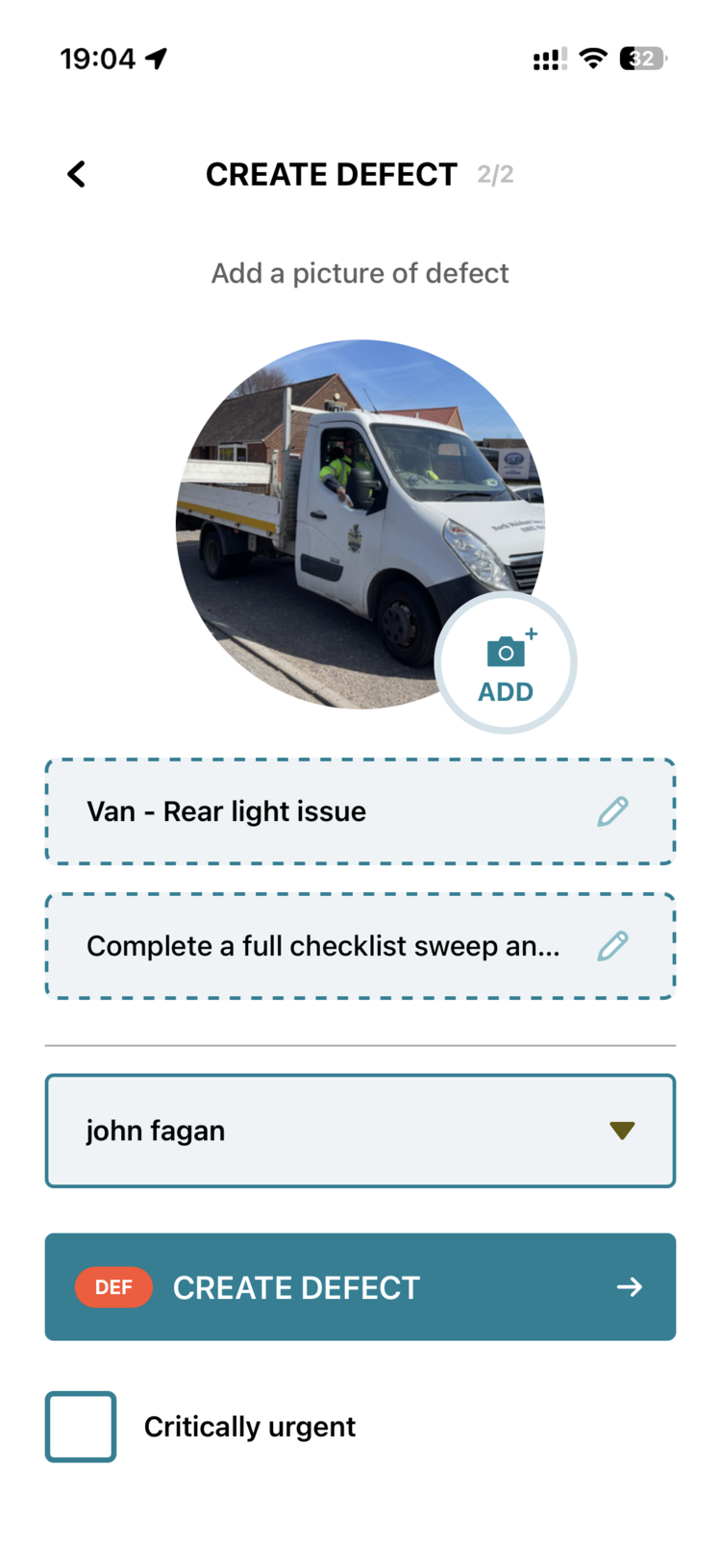
When a checklist answer fails, the app offers to raise a defect and pre-fills the title. Fail "Rear lights" and a defect titled "Van - Rear light issue" is ready, with photo, assignee and priority a couple of taps away. You choose whether to create it. The defect sits on the vehicle and the job to fix it hangs off the defect.
How to choose
- Insurer first: match the option and cadence to your policy wording. Some policies specify daily light and tyre checks.
- Trust level second: if you already doubt the ticks, use the Sweep. The per-item forcing function is the point.
- Fleet size third: two vans and one driver, negative reporting on the Check daily is probably enough. Seven vehicles across two depots, a weekly Sweep with quick daily passes earns its keep.
Both the Check and the Sweep capture the mileage, so a year of readings supports servicing intervals and replacement decisions.
Common questions
Q: We're a small council. Is this overkill? A: Start with the lightest option daily. Even pass or fail only puts you ahead of a paper folder: dated, named and impossible to backfill.
Q: What happens when a check fails? A: The app offers a pre-filled defect on the vehicle, which you choose to create. If the vehicle should not be driven, the defect record now evidences that conversation.
Q: Who sees that the checks are being done? A: The routine view is the manager's oversight: each cycle shows which vehicles were checked, by whom, and any failures. The vehicle's own Tasks tab holds its full history for insurers or auditors.